
Sql-Server

SDU Tools: Table of Numbers in SQL Server T-SQL
SDU Tools: Table of Numbers in SQL Server T-SQL

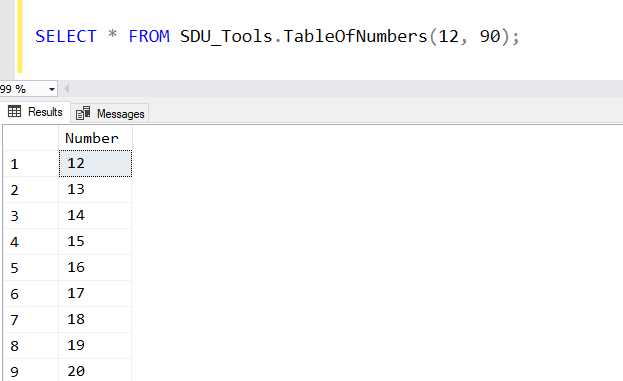
For anyone who’s worked with SQL Server for a long time, you’ll know that one of the common requests is that a table of numbers would be useful. Yes, just a table with 1, 2, 3, 4 and so on. Often in a query, you need just a certain set of values.

In our free SDU Tools, we’ve added a function to do that in a reasonably efficient way.

2018-04-18
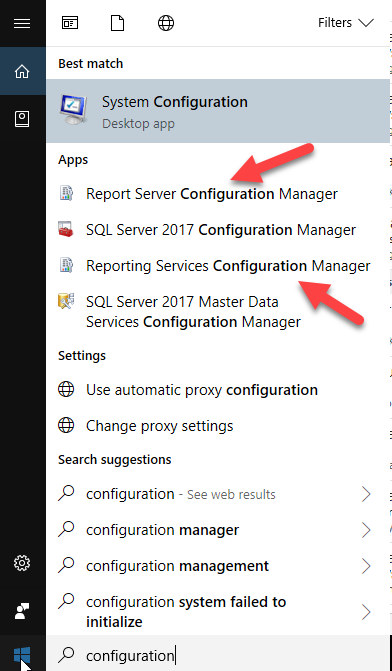
Fix: Reporting Services Configuration Manager can't find Power BI Report Server

Fix: Reporting Services Configuration Manager can't find Power BI Report Server

I just spent ages trying to work out why I couldn’t connect to Power BI Report Server using the Reporting Services Configuration Manager.

Amazingly, I hadn’t had to reconfigure it since I installed it, but now I needed to change the email account.

And it just wouldn’t see that it existed. If I put MACHINENAME only, it told me it couldn’t find the server, and if I put MACHINENAME\PBIRS, it said it was an invalid namespace.

2018-04-17

SDU Tools: SQL Server System Configurations and What's Changed

SDU Tools: SQL Server System Configurations and What's Changed

When I first start working with any SQL Server system, one of the first things I want to look at is how the server has been configured.

More particularly, what I’m interested in is:

What has been changed from the default value?

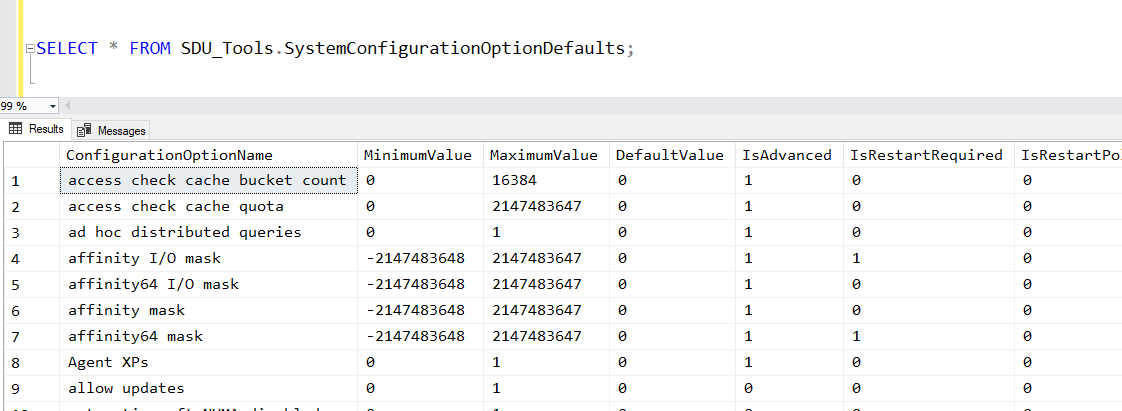
None of the standard SQL Server system views, however, provides me with this info. We do have the sys.configurations view. It shows you the configurations and what’s been chosen, but it doesn’t show you what the default value was:

2018-04-11

SSMS: Navigate as you type in sorted SSMS Object Explorer Details pane

SSMS: Navigate as you type in sorted SSMS Object Explorer Details pane

I’ve mentioned a number of times how useful I think the Object Explorer Details panel is in SQL Server Management Studio.

Another option in that panel that might not be so obvious is the sorted navigation. Here’s an example.

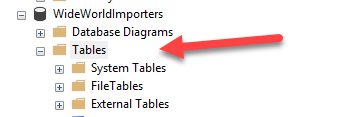
I’ve opened WideWorldImporters in Object Explorer, and clicked on the Tables node:

I then hit F7 to open the Object Explorer Details pane, and click the Name heading to sort the table list:

2018-04-05

SQL: Is there a place for AutoClose in SQL Server databases?

SQL: Is there a place for AutoClose in SQL Server databases?

If you’ve hung around the SQL Server community for any length of time, you’ll have heard the endless jibes about the AutoShrink option for databases. Using it is almost always a bad idea. In fact, shrinking databases is typically not a great idea but the AutoShrink option is considered universally bad and there are calls for it to be removed as an option.

We often joke that “auto shrink” should be renamed to “auto fragment my filesystem”, because that’s typically the outcome.

2018-04-02

SSMS: Filters in Object Explorer within SQL Server Management Studio

SSMS: Filters in Object Explorer within SQL Server Management Studio

If you are working with databases with large numbers of objects, the contents of Object Explorer in SQL Server Management Studio can start to become a bit overwhelming. I have to admit that I don’t understand why it doesn’t offer an option to group by schema. That would be helpful.

But you can at least filter by things like schema, when you need to work with a specific set of objects. You’ll notice that if you click on the database name, that the filter in the toolbar is grayed out, but if you click on a node below that like Tables, you can click on the toolbar filter icon. You can also right-click the node and choose to filter:

2018-03-29

SDU Tools: Julian Day Number to Date in T-SQL (and reverse)

SDU Tools: Julian Day Number to Date in T-SQL (and reverse)

Working with dates and times in database systems and programming languages has always been “interesting”, at least interesting in the sense that the old Chinese curse meant when it said “may you live in interesting times”.

One of the curious variations though is the use of Julian day numbers. It’s a count of the number of days since the beginning of the Julian period: https://en.wikipedia.org/wiki/Julian_day

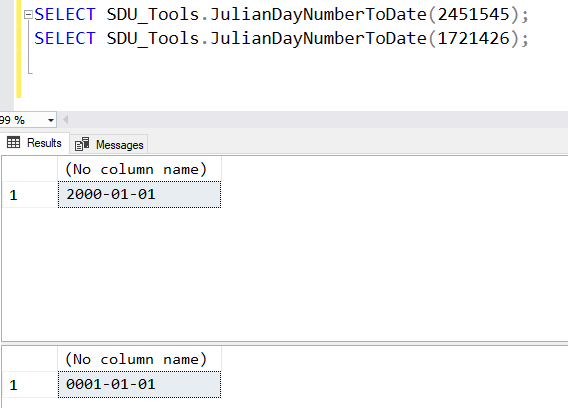
SQL Server doesn’t currently have a built-in function for converting to or from these so we added functions to our free SDU Tools for developers and DBAs. You can use the functions directly from our tool kit, or use them as examples of how to write these functions.

2018-03-28

Opinion: Don't write CREATE UNIQUE INDEX (ok, well not too often)

Opinion: Don't write CREATE UNIQUE INDEX (ok, well not too often)

The CREATE INDEX statement is used to do exactly what its name says, it creates an index. But when you say CREATE UNIQUE INDEX, you are doing more than that; you are enforcing a business rule that involves uniqueness.

I have a simple rule on this. Wherever possible business rules like uniqueness, check values, etc. should be part of the design of the table, and not enforced in an external object like an index.

2018-03-27

SQL: Mirroring SQL Server backups is a fault-intolerant option

SQL: Mirroring SQL Server backups is a fault-intolerant option

There are a number of words related to SQL Server that are overloaded. One of those is “mirroring”.

Mirroring backups has nothing to do with other concepts like database mirroring.

Mirroring backups allow SQL Server to send the same backup to more than one location at the same time. The Books Online page for the BACKUP command describes the clause this way:

“MIRROR TO <backup_device> [ ,…n ] Specifies a set of up to three secondary backup devices, each of which mirrors the backups devices specified in the TO clause. The MIRROR TO clause must specify the same type and number of the backup devices as the TO clause. The maximum number of MIRROR TO clauses is three.”

2018-03-26

DevOps: Keep moving forward not backwards when deploying to production

DevOps: Keep moving forward not backwards when deploying to production

I was asked a curious question the other day: “Are all changes made to production systems actually deployments?”

I wish the answer was yes, but unfortunately patches do get applied directly to production systems without going through standard deployment processes.

Everyone understands the scenario. Code has been deployed using the normal processes, then someone has something that simply must be fixed urgently in the productions systems. At that point, you have two choices:

2018-03-23