Sql-Server

DevOps: Scripting SQL Server objects and data from the command line

DevOps: Scripting SQL Server objects and data from the command line

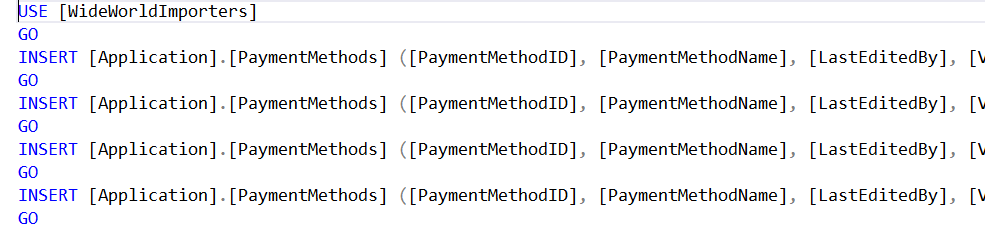
The other day I posted a shortcut about how to use SQL Server Management Studio (SSMS) to generate INSERT statements for data.

In one of the comments, Tom Corrigan asked if there was a way to do that from the command line.

The answer is yes. Apart from a variety of 3rd party tools, in May last year, Microsoft released tools to do just that.

The new tool is mssql-scripter and you’ll find an intro to it here:

2018-04-20
SSMS: Presentation Mode in SQL Server Management Studio

SSMS: Presentation Mode in SQL Server Management Studio

I spend a lot of time delivering presentations of various types. Many of those presentations involve showing code in either SQL Server Management Studio (SSMS) or Visual Studio (VS).

I’ve become quite fast at taking a default setup of SSMS and changing it to the fonts, etc. that I want to use for a presentation. Given how large these fonts are, I don’t want to use them for day to day work.

2018-04-19

SDU Tools: Table of Numbers in SQL Server T-SQL

SDU Tools: Table of Numbers in SQL Server T-SQL

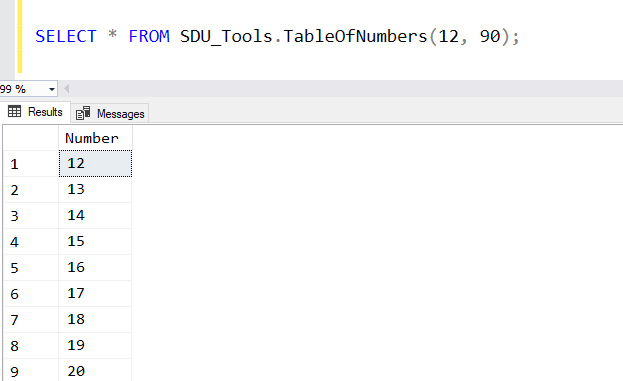
For anyone who’s worked with SQL Server for a long time, you’ll know that one of the common requests is that a table of numbers would be useful. Yes, just a table with 1, 2, 3, 4 and so on. Often in a query, you need just a certain set of values.

In our free SDU Tools, we’ve added a function to do that in a reasonably efficient way.

2018-04-18

Fix: Reporting Services Configuration Manager can't find Power BI Report Server

Fix: Reporting Services Configuration Manager can't find Power BI Report Server

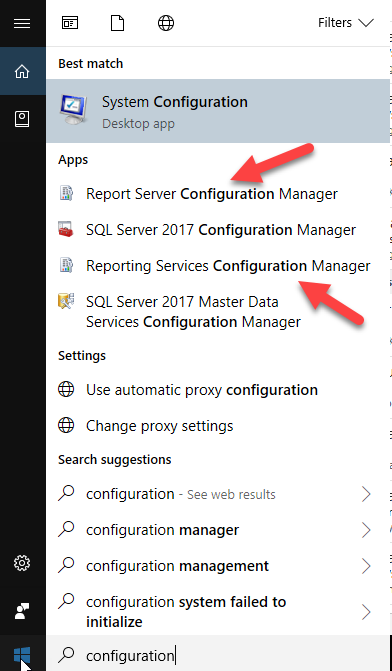
I just spent ages trying to work out why I couldn’t connect to Power BI Report Server using the Reporting Services Configuration Manager.

Amazingly, I hadn’t had to reconfigure it since I installed it, but now I needed to change the email account.

And it just wouldn’t see that it existed. If I put MACHINENAME only, it told me it couldn’t find the server, and if I put MACHINENAME\PBIRS, it said it was an invalid namespace.

2018-04-17

Opinion: Which SQL Server columns should be nullable part 2: Avoid placeholder values

Opinion: Which SQL Server columns should be nullable part 2: Avoid placeholder values

In my previous opinion post, I was discussing why magic values where a problem. They are often added by developers when they are trying to avoid having any NULL data in a database.

While discussing this, I think it’s worth also highlighting the overall dangers of placeholder values. These are values that aren’t magic values but are ones that are intended to be replaced at a later time.

If you use any of these, you need to have a solid process in place to:

2018-04-17

SSMS: Create INSERT statements for data in tables using SSMS

SSMS: Create INSERT statements for data in tables using SSMS

Over the years, I’ve had a surprising number of questions on how to output all the data in a table as a series of INSERT statements. SQL Server Management Studio has had the ability to do this for a long time. Here’s an example.

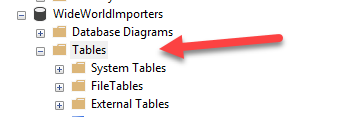
In Object Explorer, I’ve expanded the WideWorldImporters database, then expanded Tables. Where people come unstuck is they right-click the table, and look at the scripting options:

2018-04-12

SDU Tools: SQL Server System Configurations and What's Changed

SDU Tools: SQL Server System Configurations and What's Changed

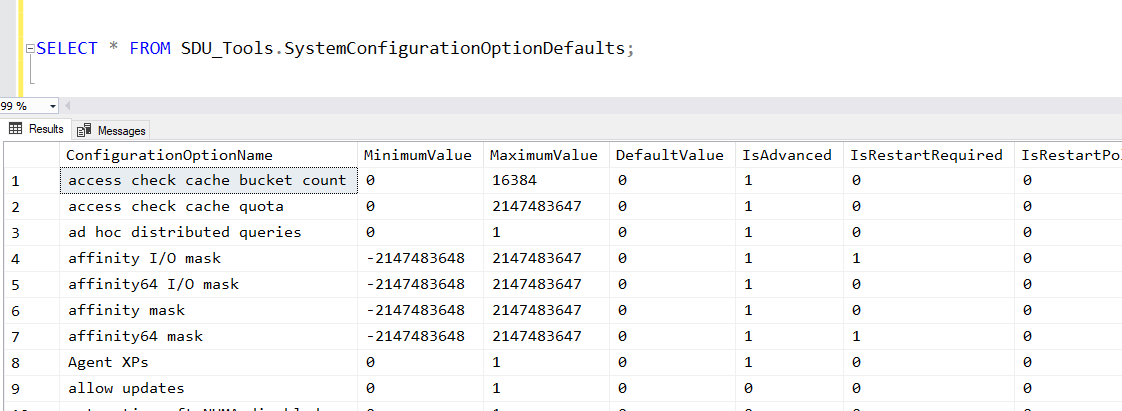
When I first start working with any SQL Server system, one of the first things I want to look at is how the server has been configured.

More particularly, what I’m interested in is:

What has been changed from the default value?

None of the standard SQL Server system views, however, provides me with this info. We do have the sys.configurations view. It shows you the configurations and what’s been chosen, but it doesn’t show you what the default value was:

2018-04-11

SSMS: Navigate as you type in sorted SSMS Object Explorer Details pane

SSMS: Navigate as you type in sorted SSMS Object Explorer Details pane

I’ve mentioned a number of times how useful I think the Object Explorer Details panel is in SQL Server Management Studio.

Another option in that panel that might not be so obvious is the sorted navigation. Here’s an example.

I’ve opened WideWorldImporters in Object Explorer, and clicked on the Tables node:

I then hit F7 to open the Object Explorer Details pane, and click the Name heading to sort the table list:

2018-04-05

SDU Tools: Seconds to Duration in T-SQL

SDU Tools: Seconds to Duration in T-SQL

There are a few places in T-SQL where instead of a time value, you need to work with a duration.

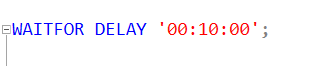
An example is if I want to sleep for a short period. In T-SQL, we can do that with the WAITFOR statement, used like this:

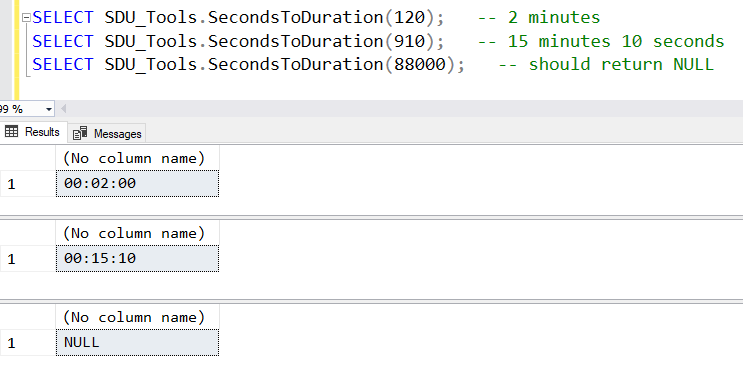
This command would cause SQL Server to wait for 10 minutes. One of the challenges though, is how do I create this duration string in a programmatic way? For example, how do I create the string ‘00:02:00’ if I’m starting with a value of 120 seconds?

2018-04-04

SQL: Is there a place for AutoClose in SQL Server databases?

SQL: Is there a place for AutoClose in SQL Server databases?

If you’ve hung around the SQL Server community for any length of time, you’ll have heard the endless jibes about the AutoShrink option for databases. Using it is almost always a bad idea. In fact, shrinking databases is typically not a great idea but the AutoShrink option is considered universally bad and there are calls for it to be removed as an option.

We often joke that “auto shrink” should be renamed to “auto fragment my filesystem”, because that’s typically the outcome.

2018-04-02