
Fabric RTI 101: Joining using SQL
While KQL joins are focused on live or streaming data, SQL joins become important once that data has been persisted — typically into a warehouse, lakehouse, or relational store inside Fabric. At that stage, you’re working with stored tables, not continuous streams, and SQL provides the familiar, well-established way to combine them.
For example, suppose your eventstream has been writing processed data into a table every few seconds — say, a record of transactions, or aggregated IoT readings. Once that data is stored, you can use SQL to join it with enterprise datasets: things like master data, financial records, or customer relationship tables that live in the warehouse.
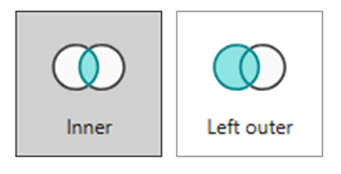
The SQL syntax here is what most data professionals already know:
SELECT … FROM A JOIN B ON A.Key = B.Key
It supports all the typical join types — inner, left, right, and full — and works seamlessly with other SQL features like grouping, window functions, and filtering. The key distinction is that SQL joins operate after the data has landed.
They’re ideal for analytical reporting, trend analysis, and BI scenarios where you want to merge real-time data with broader business context. For example, you could join recent order data with a product hierarchy to analyze sales by category, or combine error logs with a support ticket table to correlate system faults with customer reports.
KQL joins are about real-time enrichment and detection, while SQL joins are about persistent integration and historical analysis. Both use the same core idea — combining related data sets — but they operate at different stages of the pipeline and serve different audiences.
Learn more about Fabric RTI
If you really want to learn about RTI right now, we have an online on-demand course that you can enrol in, right now. You’ll find it at Mastering Microsoft Fabric Real-Time Intelligence
2026-05-21