
Azure-Sql-Db

SDU Tools: Dates Between No Weekends
SDU Tools: Dates Between No Weekends

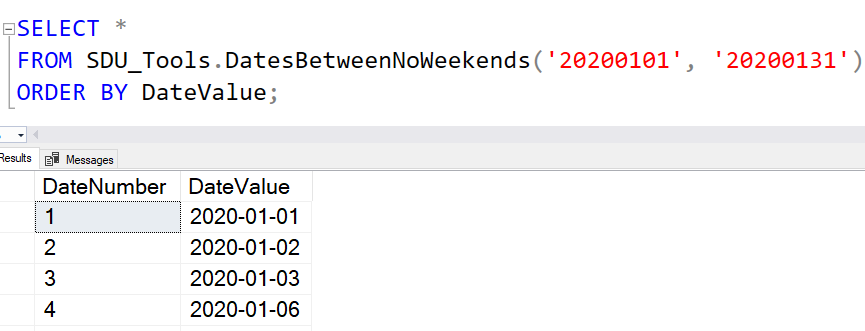
The DatesBetweenNoWeekends function in our free SDU Tools for developers and DBAs, is really popular. It provides a range of dates between starting and ending dates, ignoring weekends.

DatesBetweenNoWeekends is a simple table-valued function that takes two parameters:

@StartDate - the first date to return @EndDate - the last date to return

The columns returned are:

DateNumber - a sequential number for the dates returned DateValue - the date

2020-05-20
SDU Tools: Date Dimension Period Columns in SQL Server T-SQL

SDU Tools: Date Dimension Period Columns in SQL Server T-SQL

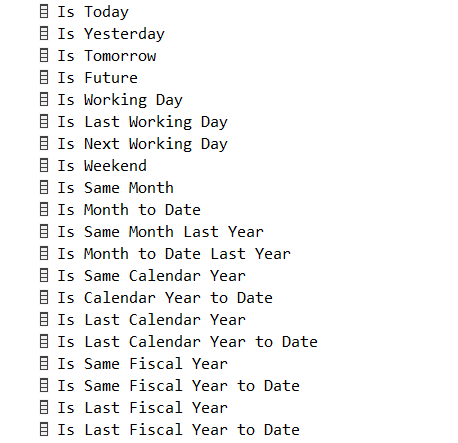
The DateDimensionColumns function in our free SDU Tools for developers and DBAs, has been really popular. It provides the standard columns that are part of a typical date dimension in a data warehouse. But we’re especially proud of a new function that can be used to expand a date dimension with really useful additional information. We call it DateDimensionPeriodColumns.

The DateDimensionColumns function had the usual columns:

Date, Day Number, Day Name, Short Day Name, Month Name, Short Month Name, Month Number, Month Label, Year, Year Label, Day of Year, Fiscal Month Number, Fiscal Month Label, Fiscal Year, Fiscal Year Label, Day of Fiscal Year, ISO Week Number

2020-05-13

SDU Tools: Extracting initials from a name in SQL Server T-SQL

SDU Tools: Extracting initials from a name in SQL Server T-SQL

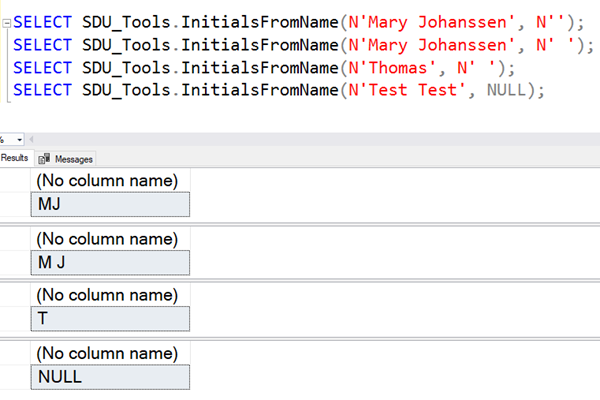
I recently came across a requirement to extract someone’s initials from within their name. That was a new one for me, so we added a new function into our free SDU Tools for developers and DBAs. It’s called InitialsFromName.

It’s a straightforward scalar function that takes two parameters:

@Name nvarchar(max) is the name to extract the initials from

@Separator nvarchar(max) is a separator placed between the returned initials.  (Make it an empty string for none)

2020-05-06

SDU Tools: Start of Year, End of Year in SQL Server T-SQL

SDU Tools: Start of Year, End of Year in SQL Server T-SQL

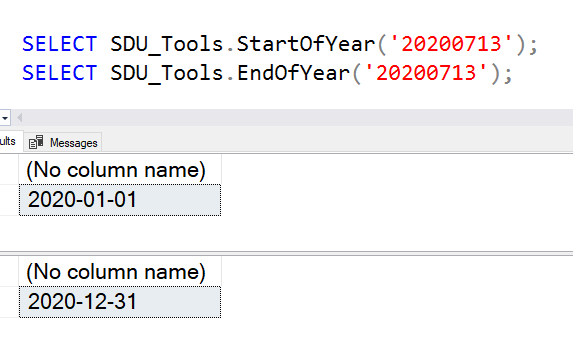
I mentioned in my last two SDU_Tools posts that I get really good feedback all the time from users of our free SDU Tools for developers and DBAs, but none more than when we have more and more date and time functions. Yet another pair of functions that we added in v19 that was recently shipped was StartOfYear and EndOfYear.

We had feedback that even though we had StartOfFinancialYear and EndOfFinancialYear, we didn’t have just StartOfYear and EndOfYear. So we’ve fixed that. These are simple scalar functions that take a single date parameter, and return the date for the start of the calendar year and the end of the calendar year that contain the date provided.

2020-04-29

SDU Tools: Start of Working Week and End of Working Week in SQL Server T-SQL

SDU Tools: Start of Working Week and End of Working Week in SQL Server T-SQL

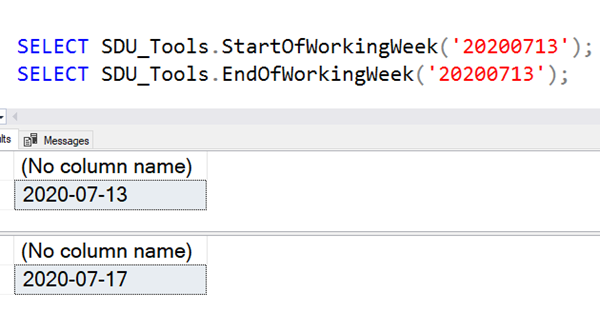
I mentioned in my last SDU_Tools post that I get really good feedback all the time from users of our free SDU Tools for developers and DBAs, but none more than when we have more and more date and time functions. Another pair of functions that we added in v19 that was recently shipped was StartOfWorkingWeek and EndOfWorkingWeek.

These are simple scalar functions that take a single date parameter, and return the date for the Monday and the Friday of the week that contains the date provided.

2020-04-22

SDU Tools: Start of week and End of week in SQL Server T-SQL

SDU Tools: Start of week and End of week in SQL Server T-SQL

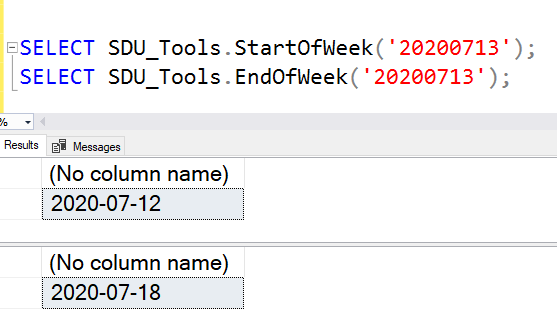
I get really good feedback all the time from users of our free SDU Tools for developers and DBAs, but none more than when we have more and more date and time functions. One pair of functions that we added in v19 that was recently shipped was StartOfWeek and EndOfWeek.

These are simple scalar functions that take a single date parameter, and return the date for the start and end of the week that contains the date provided.

2020-04-15

SDU Tools: Server Maximum DB Compatibility Level in T-SQL

SDU Tools: Server Maximum DB Compatibility Level in T-SQL

I like to have my databases at the same database compatibility level as the server, whenever possible. But how do you know the maximum value that’s allowed? We recently added a tool to our free SDU Tools for developers and DBAs to solve this. It’s called ServerMaximumDBCompatibilityLevel.

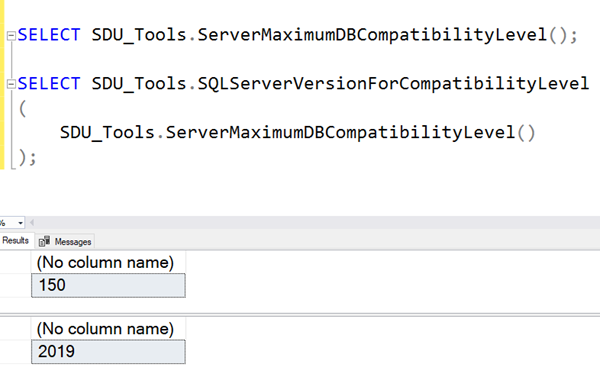
It’s a simple scalar function that returns the maximum DB compatibility level that’s supported by the server. It takes no parameters.

If you want to know which server version (like 2017 or 2019) that the DB compatibility level represents, you can also combine it with our SQLServerVersionForCompatibilityLevel function.

2020-04-01

SDU Tools: Currencies by Country in SQL Server T-SQL

SDU Tools: Currencies by Country in SQL Server T-SQL

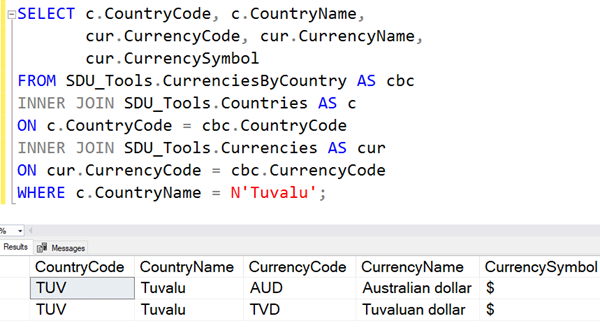
I recently posted about how we added Countries and Currencies to our free SDU Tools for developers and DBAs. I use those all the time in drop-down lists. But the other one that’s super-helpful, is to know which are the official currencies for each country. So we’ve added another view called CurrenciesByCountry.

It’s a simple view that returns details of the current list of official currencies for each country. You can see it here:

2020-03-25

SDU Tools: List of common currencies in SQL Server T-SQL

SDU Tools: List of common currencies in SQL Server T-SQL

I regularly need a list of currencies in drop-down lists, and when performing calculations, etc. To make that easy, in our free SDU Tools for developers and DBAs, we added a tool to do just that. It’s a view called Currencies.

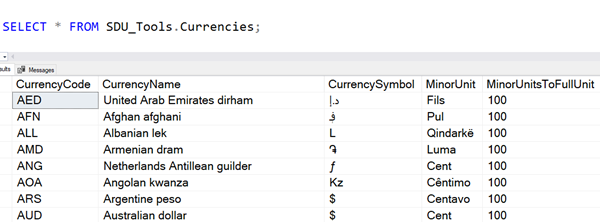
It’s a simple view that returns details of the current official list of common currencies.

For each currency, it returns the 3 character currency code, the name of the currency, the most common symbol that’s used for it, the name of its minor unit (like cents for dollars) if there is one, and if so, the number of minor units to every major unit (100 for cents in a dollar).

2020-03-18

SQL: Setting local date and time for a session in Azure SQL Database

SQL: Setting local date and time for a session in Azure SQL Database

Yesterday, I posted about how to get local date and time when you’re working with Azure SQL Database. It uses UTC and there’s no option (at least not currently) to set a timezone for a database.

I mentioned that to get the local date and time, you could execute code like this:

CAST(SYSDATETIMEOFFSET() AT TIME ZONE 'AUS Eastern Standard Time' AS datetime)

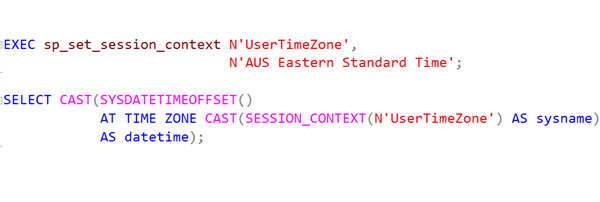
Now what many people haven’t noticed is that the time zone name can actually be a variable. (That’s refreshing because so many times in SQL Server, these things require constants). So this also works:

2020-03-13