
PowerShell: Invoke-SqlCmd4 - A Superior SQL Commandlet
Note: This is part of a series of posts where I’m improving some of my older blog posts.
Recently, I wrote about one of the issues with the Invoke-SqlCmd commandlet where it sets the ApplicationName when you use the parameter that should set the host.
Fellow MVP Ben Miller sent me a copy of the Invoke-SqlCmd3 that they were using. It was much better.
I then realized that there were many other options missing from these commandlets (such as options for Database Mirroring and Availablity Groups) and so I set about improving it.
Ben posted his version to the PowerShell Code Repository.
My version of the commandlet will allow setting many other parameters (and it sets the ApplicationName and HostName correctly). The parameters are:
- [Parameter(Position = 0, Mandatory=$true)] [string]$ServerInstance,
- [Parameter(Position = 1, Mandatory = $false)] [string]$DatabaseName,
- [Parameter(Position = 2, Mandatory = $false)] [string]$Query,
- [Parameter(Position = 3, Mandatory = $false)] [string]$UserName,
- [Parameter(Position = 4, Mandatory = $false)] [string]$Password,
- [Parameter(Position = 5, Mandatory = $false)] [Int32]$QueryTimeout = 600,
- [Parameter(Position = 6, Mandatory = $false)] [Int32]$ConnectionTimeout = 30,
- [Parameter(Position = 7, Mandatory = $false)] [string]$ApplicationName = “PowerShell SQLCMD”,
- [Parameter(Position = 8, Mandatory = $false)] [string]$HostName,
- [Parameter(Position = 9, Mandatory = $false)] [ValidateSet(“ReadOnly”, “ReadWrite”)] [string] $ApplicationIntent,
- [Parameter(Position = 10, Mandatory = $false)] [ValidateScript({test-path $_})] [string]$InputFile,
- [Parameter(Position = 11, Mandatory = $false)] [ValidateSet(“DataSet”, “DataTable”, “DataRow”)] [string]$OutputAs = “DataRow”,
- [Parameter(Position = 12, Mandatory = $false)] [string]$FailoverPartnerServerInstance,
- [Parameter(Position = 13, Mandatory = $false)] [bool]$IsMultiSubnetFailover = $false
The code is below or you can download it from here
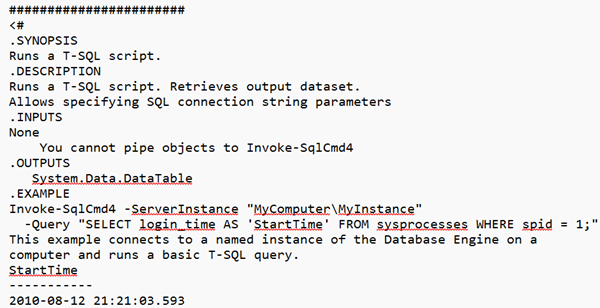
#######################
<#
.SYNOPSIS
Runs a T-SQL script.
.DESCRIPTION
Runs a T-SQL script. Retrieves output dataset. Allows specifying SQL connection string parameters
.INPUTS
None
    You cannot pipe objects to Invoke-SqlCmd4
.OUTPUTS
   System.Data.DataTable
.EXAMPLE
Invoke-SqlCmd4 -ServerInstance "MyComputer\MyInstance" -Query "SELECT login_time AS 'StartTime' FROM sysprocesses WHERE spid = 1;"
This example connects to a named instance of the Database Engine on a computer and runs a basic T-SQL query.
StartTime
-----------
2010-08-12 21:21:03.593
.EXAMPLE
Invoke-SqlCmd4 -ServerInstance "MyComputer\MyInstance" -InputFile "C:\MyFolder\tsqlscript.sql" | Out-File -filePath "C:\MyFolder\tsqlscript.rpt;"
This example reads a file containing T-SQL statements, runs the file, and writes the output to another file.
.EXAMPLE
Invoke-SqlCmd4  -ServerInstance "MyComputer\MyInstance" -Query "PRINT 'hello world';" -Verbose
This example uses the PowerShell -Verbose parameter to return the message output of the PRINT command.
VERBOSE: hello world
.NOTES
Version History
v1.0   - Chad Miller - Initial release
v1.1   - Chad Miller - Fixed Issue with connection closing
v1.2   - Chad Miller - Added inputfile, SQL auth support, connectiontimeout and output message handling. Updated help documentation
v1.3   - Chad Miller - Added As parameter to control DataSet, DataTable or array of DataRow Output type
v1.4   - Ben Miller  - Added ApplicationName as a parameter for profiler detection, etc.
v1.5   - Greg Low    - Added additional connection string parameters
#>
function Invoke-SqlCmd4
{
    [CmdletBinding()]
    param
    (
        [Parameter(Position = 0, Mandatory=$true)] [string]$ServerInstance,
        [Parameter(Position = 1, Mandatory = $false)] [string]$DatabaseName,
        [Parameter(Position = 2, Mandatory = $false)] [string]$Query,
        [Parameter(Position = 3, Mandatory = $false)] [string]$UserName,
        [Parameter(Position = 4, Mandatory = $false)] [string]$Password,
        [Parameter(Position = 5, Mandatory = $false)] [Int32]$QueryTimeout = 600,
        [Parameter(Position = 6, Mandatory = $false)] [Int32]$ConnectionTimeout = 30,
        [Parameter(Position = 7, Mandatory = $false)] [string]$ApplicationName = "PowerShell SQLCMD",
        [Parameter(Position = 8, Mandatory = $false)] [string]$HostName,
        [Parameter(Position = 9, Mandatory = $false)] [ValidateSet("ReadOnly", "ReadWrite")] [string] $ApplicationIntent,
        [Parameter(Position = 10, Mandatory = $false)] [ValidateScript({test-path $_})] [string]$InputFile,
        [Parameter(Position = 11, Mandatory = $false)] [ValidateSet("DataSet", "DataTable", "DataRow")] [string]$OutputAs = "DataRow",
        [Parameter(Position = 12, Mandatory = $false)] [string]$FailoverPartnerServerInstance,
        [Parameter(Position = 13, Mandatory = $false)] [bool]$IsMultiSubnetFailover = $false
    )

    if ($InputFile)
    {
        $filePath = $(Resolve-Path $InputFile).path
        $Query =  [System.IO.File]::ReadAllText("$filePath")
    }

    $databaseLocation = "Server={0};Database={1};" -f $ServerInstance, $DatabaseName

    $authenticationMethod = "Trusted_Connection=True;"
    if ($UserName)
    {
        $authenticationMethod = "User ID={0};Password={1};" -f $UserName, $Password
    }

    $intent = ""
    if ($ApplicationIntent)
    {
         $intent = "Application Intent={0};" -f $ApplicationIntent
    }

    $application = "Application Name={0};" -f $ApplicationName

    $hostID = ""
    if ($HostName)
    {
        $hostID = "Workstation ID={0};" -f $HostName
    }

    $failoverPartner = ""
    if ($FailoverPartnerServerInstance)
    {
        $failoverPartner = "Failover Partner={0}" -f $FailoverPartnerServerInstance
    }

    $multiSubnet = ""
    if ($IsMultiSubnetFailover)
    {
        $multiSubnet = "MultiSubnetFailover=true;"
    }

    $dbConnectionectTimeout = "Connect Timeout={0}" -f $ConnectionTimeout

    $dbConnectionString = $databaseLocation + $authenticationMethod + $intent + $application + $hostID + $failoverPartner + $multiSubnet + $dbConnectionectTimeout    $dbConnection = New-Object System.Data.SqlClient.SQLConnection
    $dbConnection.ConnectionString = $dbConnectionString

    #Following EventHandler is used for PRINT and RAISERROR T-SQL statements. Executed when -Verbose parameter specified by caller
    if ($PSBoundParameters.Verbose)
    {
        $eventHandler = [System.Data.SqlClient.SqlInfoMessageEventHandler] {Write-Verbose "$($_)"}
        $dbConnection.add_InfoMessage($eventHandler)
        $dbConnection.FireInfoMessageEventOnUserErrors = $true
    }

    $dbConnection.Open()
    $sqlCommand = New-object system.Data.SqlClient.SqlCommand($Query,$dbConnection)
    $sqlCommand.CommandTimeout=$QueryTimeout

    $outputDataset = New-Object system.Data.DataSet
    $dataAdapter = New-Object system.Data.SqlClient.SqlDataAdapter($sqlCommand)
    [void]$dataAdapter.Fill($outputDataset)
    $dbConnection.Close()

    switch ($OutputAs)
    {
        'DataSet'   { Write-Output ($outputDataset) }
        'DataTable' { Write-Output ($outputDataset.Tables) }
        'DataRow'   { Write-Output ($outputDataset.Tables[0]) }
    }

} #Invoke-SqlCmd4

Invoke-SqlCmd4 -ServerInstance ".\SQL2012" -DatabaseName "master" -Query "SELECT APP_NAME(),HOST_NAME();" -ApplicationName "My Application" -HostName "MyHost"
2026-07-01