
SSMS Tips and Tricks 8-7: Renaming tabs that have not been saved

Anyone who has worked with SSMS for long, will have the experience of opening a number of query windows for short-term work, not wanting to save the scripts, and then being unable to find the one they want in the drop-down list of scripts:
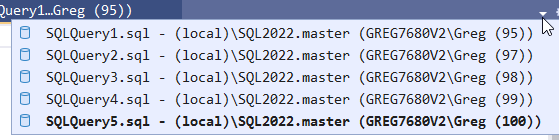
The alternative to this was to save them all somewhere so you could give them a name. Then you need to clean them all up later.
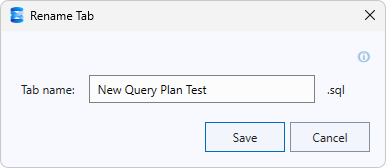
What we’ve wanted for a long time was the ability to name these tabs, without saving them. And that’s now possible. Each tab has a rename option in its context menu:

That lets me assign a name:
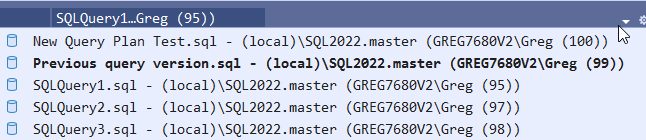
And then in the drop-down, I can find the scripts that I want:
2025-12-08