
SSMS: Set query shortcuts for favorite stored procedures in SSMS

In an earlier post, I mentioned how useful the F1 key is. On its own, it provides syntax help, but when you highlight an object and hit Alt-F1, you get to see metadata about the object.
Under the covers, this just runs the sp_help stored procedure. Alt-F1 has been mapped to that.
You can see where this is configured, change it if required, and/or configure other procedures as well.
In Tools, Options, Environment, Keyboard, then Query Shortcuts, you can see this:
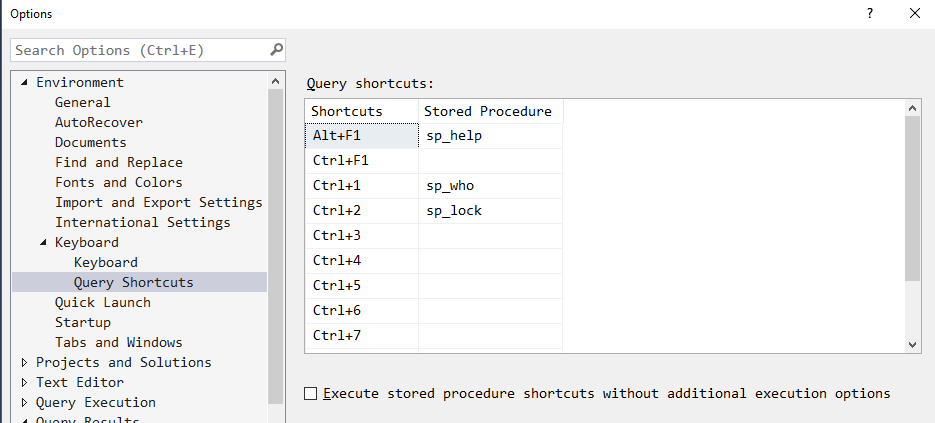
Here we can see how the Alt-F1 command is configured. By default, only three shortcuts are configured. It’s easy to configure another one for your own use.
SSMS Tips and Tricks Free eBook
Want to become a wizard on using SSMS? My free eBook covers so many tips and tricks, including this one. You’ll find it, and many other free resources from us, here: https://sqldownunder.com/freestuff/
2018-11-08