T-SQL 101: 41 Using string literals in SQL Server
When we write string literal values, we need to surround them in single quotes. There are options in some SQL products we could make that double quotes. In general though, don’t do that. Just use single quotes.
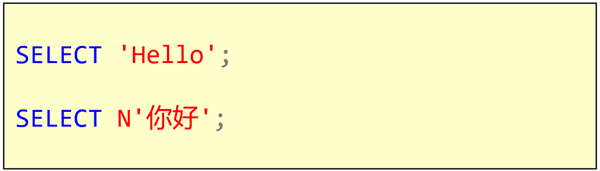
If you have multi byte characters, they need to be preceded by the N prefix. I’ve previously mentioned that it stands for National Character Set. If I don’t use the N, when I execute the second query, I’d see this:
2019-10-28