
Fabric RTI 101: Integrating Power Automate with Activator

Power Automate is Microsoft’s no-code workflow automation platform, and it integrates directly with Activator to help turn events into business actions.
When a rule in Activator is met — for example, when a sensor crosses a threshold or a transaction fails multiple times — that event can automatically trigger a Power Automate flow.
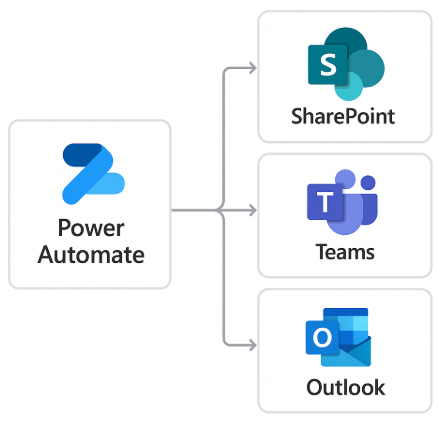
A Power Automate flow is a sequence of steps that perform an operation, often involving multiple systems. For example, a trigger from Activator could:
- Create an item in SharePoint to log the event,
- Send a message to Microsoft Teams,
- Email a service desk using Outlook.
Power Automate includes over 1,000 built-in connectors, covering popular services such as Salesforce, ServiceNow, Dynamics 365, Azure services, and many others. That means you can extend Activator events well beyond Fabric, into almost any business system in your organization.
This integration is especially useful for business process automation. It allows Activator to initiate workflows that handle approvals, notifications, or escalations — all without writing code.
Because Power Automate uses a visual, step-based interface, it’s accessible not just to developers but also to citizen developers and business analysts. They can build and modify automations that respond to real-time events without needing IT to intervene.
Integrating Power Automate gives Activator the ability to connect insights to actions across your organization — bridging the gap between real-time detection and business process automation.
Learn more about Fabric RTI
If you really want to learn about RTI right now, we have an online on-demand course that you can enrol in, right now. You’ll find it at Mastering Microsoft Fabric Real-Time Intelligence
2026-07-28