
Fabric RTI 101: Understanding Activator Objects and Signals
Before you start creating rules in Activator, it’s important to understand how the system models data conceptually — using Objects and Signals.
An Object in Activator represents a real-world entity that you want to monitor — for example, a sensor, a customer account, a store, or a device.
Each Object has one or more Signals, which are the measurable data points associated with it. For example, a device object might have signals like temperature, battery level, and status.
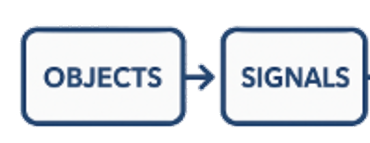
Signals can originate from Eventstreams, KQL Database queries, or even dashboard visuals — anywhere real-time values are available in Fabric.
Once the Objects and Signals are defined, rules operate on them continuously. For instance, you could create a rule that watches each sensor’s temperature signal and triggers an action if it exceeds 70°C.
This object-and-signal model is what makes Activator context-aware — it doesn’t just react to isolated numbers, it understands which entity those numbers belong to. That approach allows for flexible, scalable monitoring — whether you’re tracking a handful of assets or thousands of devices streaming data simultaneously.
Learn more about Fabric RTI
If you really want to learn about RTI right now, we have an online on-demand course that you can enrol in, right now. You’ll find it at Mastering Microsoft Fabric Real-Time Intelligence
2026-07-20