
Fabric RTI 101: Using Custom SQL Code

In most Eventstream transformations, we use the drag-and-drop UI — managing fields, filters, joins, and aggregations visually. But for more advanced scenarios, you can switch to Custom SQL Code mode.
This option allows you to write SQL-style expressions directly against your streaming data.
It’s particularly useful when the visual editor can’t express the full logic you need — for example, if you want to perform complex conditional transformations, apply multi-step calculations, or combine filters and aggregations in a single operation.
You can reference your event columns just like table fields, use functions to clean or format data, and even define aliases or derived values.
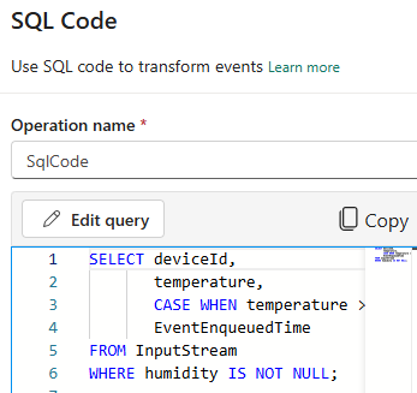
One snippet might replace several visual steps — filtering, conditional logic, and field creation — all in one transformation.
This mode is designed for users who are comfortable with SQL syntax and want precise, code-driven control over how data is transformed as it flows through the Eventstream.
Custom SQL bridges the gap between no-code and pro-code — giving data engineers the power to extend real-time processing beyond what the UI can do.
Learn more about Fabric RTI
If you really want to learn about RTI right now, we have an online on-demand course that you can enrol in, right now. You’ll find it at Mastering Microsoft Fabric Real-Time Intelligence
2026-04-27