
Fabric: What range of dates to include in a semantic model date table
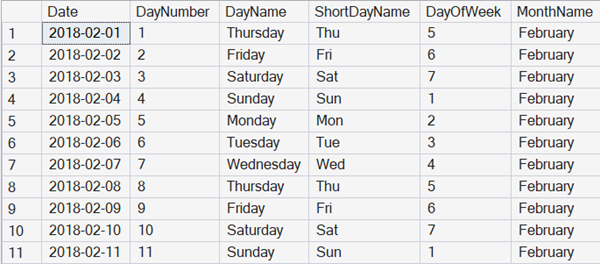
One of the most important tables in any business intelligence style analytic system is a Date table.
In most formal documentation, that’s ironically referred to as a time dimension, but in so many systems, time isn’t part of it. That’s because the exact time that something happened often isn’t of interest for the aggregated data that often forms the majority of analytic analysis.
Storing time?
Do we ever store the time though?
Sure. But if we do that, it’s usually:
- In a separate column to the date
- Often rounded to a period (e.g., to the minute, or to the hour)
That could be useful for analytics about what happens at what time of the day, across a series of dates, rather than at 3PM on June 21st 2026.
For rounding dates and/or times, if you are using SQL and haven’t checked out the T-SQL DATETRUNC Function , I’d suggest taking a look at it.
Auto-date dimensions
Power BI has a default where it likes to create an automatic date dimension for you. It does that by looking at the columns in your data model that contain dates, and then finding the first and last dates that are present.
In so many cases, this leads to hugely bloated date dimensions. A common reason for this is that if you have a system that’s analyzing sales orders for the last six years, but you have date of birth values present, suddenly you have a dimension that goes back for up to 100 years or so.
So, we usually turn those options off.
Ranges of dates to store
There’s another reason that we disable those options. We want the Date dimension to be available like any other part of the data, to any system that’s connecting to the underlying data, not just Power BI. We want the table holding dates to be in the supporting data warehouse or data lake, not just in the semantic model. So we load the Date table like any other table in the semantic model.
But that then leaves the question about the range of dates to include.
For most systems, there is a periodic data load, or at least a period where the underlying data is frozen so that a consistent view of the data can be achieved. At that point, you can work out the earliest and latest dates to include in your model, based on the data in relevant tables.
What about incomplete periods?
One question that comes up, is if the first date in the data is, say, 24th February 2026, what date do you start the dimension as. I see a variety of answers:
- 24th February 2026
- 1st February 2026
- 1st January 2026
And similarly, the last date will be:
- The last date in the data
- The end of the month for the last date
- The end of the year for the last date
This is because people often want to see complete periods in the date dimension. I’m ok with that. My only concern is that in some analytics, it can then appear that you are analyzing full periods where you aren’t.
SDU Tools Functions
If you want SQL functions to help with date dimensions, or with period-related information, I’d suggest looking at the powerful options we have available (for free) in our SDU Tools library .
There are versions of the library for SQL Server, for Azure SQL Database, and for Fabric SQL Database.
Check out videos on these particular functions here:

and here:

2025-12-13