
SSMS Tips and Tricks 8-6: Using the PowerShell terminal
SSMS used to have a built-in web browser. That’s now gone.
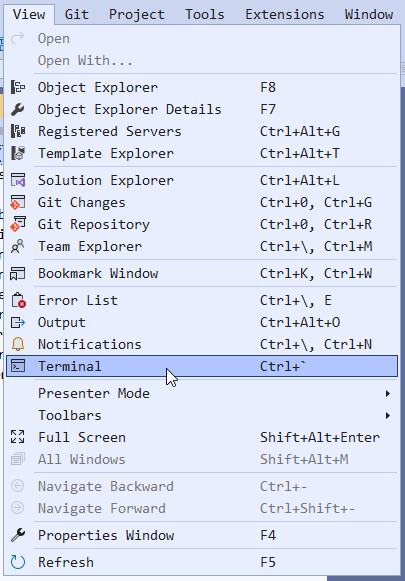
What was added, though, is a Developer PowerShell window. On the View menu, you can choose Terminal.
This will then open a Developer PowerShell window:
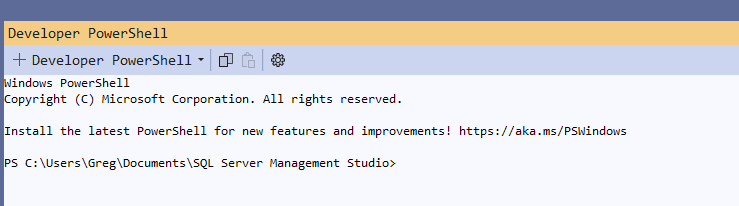
Note that you can change the version of PowerShell that’s launched, from the drop-down. But the Settings option will take you to the Tools Options page where the Terminal can be configured.
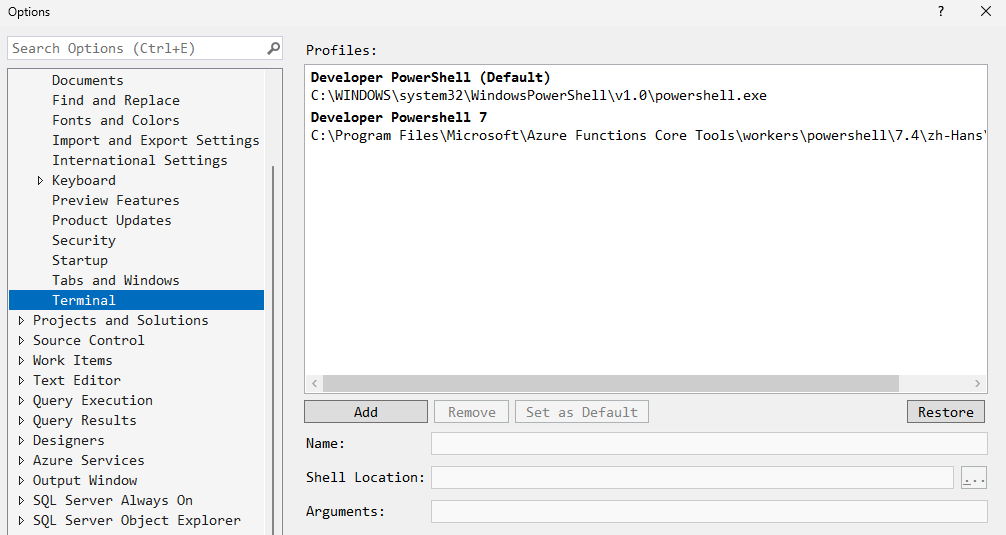
That will let you set how it’s configured when it’s launched.
SSMS Tips and Tricks Free eBook
Want to become a wizard on using SSMS? My free eBook covers so many tips and tricks, including this one. You’ll find it, and many other free resources from us, here: https://sqldownunder.com/freestuff/
2025-10-12