T-SQL 101: 13 Quoting (Delimiting) Identifiers in T-SQL
If you look carefully at the following two queries in the image below:
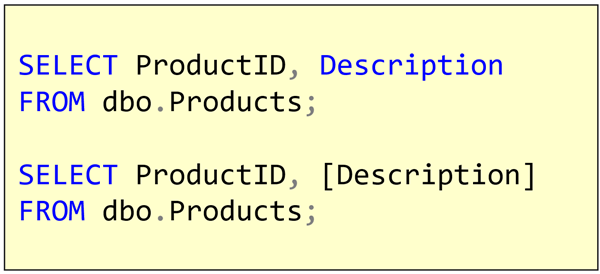
you’ll notice there are a couple of differences. In the first query, the word Description is blue, and in the second, it isn’t blue but it has square brackets around it. The second is an example of quoting or delimiting an identifier.
In this case, the reason that the word was blue in the first query is that somewhere in SQL Server, this word is part of the syntax of the language itself. That’s much the same as SELECT or ORDER BY. So SQL Server Management Studio (SSMS) color-codes it the same way it does for the word SELECT.
2019-04-15