The Bit Bucket

T-SQL 101: 52 Using TRANSLATE to make multiple string replacements in SQL Server

T-SQL 101: 52 Using TRANSLATE to make multiple string replacements in SQL Server

I previously mentioned that there were three functions for replacing values in strings. We saw REPLACE and STUFF. The other one is relatively new (SQL Server 2017) and it’s called TRANSLATE.

Here’s an example of how I can use it to change the format of a phone number:

The first parameter is the string to work on, the second parameter is a list of individual characters to replace, and the third parameter (which must be a string the same length as the second parameter), is the set of replacement characters.

2020-01-13

Snowflake SQL for SQL Server Users - Sequences: The good and the not so good

Snowflake SQL for SQL Server Users - Sequences: The good and the not so good

I’ve been working to convert our SQL Down Under sample databases like PopkornKraze across to Snowflake. One of the areas that I ran into real challenges with was sequences.

The good news

The syntax for creating and accessing them is basic enough.

CREATE SEQUENCE "SequenceName";

is enough.  (Note the double-quotes are mine as I don’t want the name auto-wrapped to SEQUENCENAME).

And there are some of the same options that SQL Server has:

2020-01-10

SQL: Passing different data types to a single stored procedure parameter

SQL: Passing different data types to a single stored procedure parameter

There was a recent question on the forums about if there was any way to create a sql parameter with defined type in typescript fashion. What they were after was something like this:

create procedure something
   @myparam 'int' | 'varchar(20)'
as
  ...

They wanted a single parameter that could have different data types, but only from a specific list of data types.

SQL Server doesn’t support that type of construct directly, but what it does do is support the sql_variant data type. So you could have defined the procedure like this instead:

2020-01-09

SDU Tools: Version 17 shipped recently to SDU Insiders

SDU Tools: Version 17 shipped recently to SDU Insiders

Version 17 of our SDU Tools shipped out to all our SDU Insiders a few days ago.

It contains the following updates:

DatesInPeriod - Produces a table of dates from a starting date, for a number of intervals. For example, 3 weeks of dates from a starting date.

ServerMaximumDBCompatibilityLevel - Returns the maximum database compatibility level supported by the server.

SetDatabaseCompabilityForAllDatabasesToMaximum​ - Sets the database compatibility level of all databases to the maximum value supported by the server.

2020-01-08

Book Review: TED Talks - The Official Ted Guide to Public Speaking

Book Review: TED Talks - The Official Ted Guide to Public Speaking

I do a lot of speaking at conferences, user groups, online, and other sorts of events. It’s important to constantly improve, so I take notice of any books released on the topic. I recently listened (via Audible) to TED Talks - The Official Ted Guide to Public Speaking by Chris Anderson.

I’ve been a fan of TED and their conference talks for a long time. The overall quality of the talks is very high, and some (like Ken Robinson’s talk on schools killing creativity) set a really high bar.

2020-01-07

T-SQL 101: 51 Splitting delimited strings in SQL Server by using STRING_SPLIT

T-SQL 101: 51 Splitting delimited strings in SQL Server by using STRING_SPLIT

For a long, long time,  users of SQL Server had requested some way to split a string. That’s a common need when working with rows from comma-delimited files (CSVs).

In the example below, I’ve asked it to break up the string ‘Greg,Tom’,Sandra’ whenever it finds a comma. Notice I could use another delimiter like TAB or semicolon instead.

The values returned are in a table. This is a table-valued function.

2020-01-06

SQL: Retrieve the results of executing a stored procedure in T-SQL

SQL: Retrieve the results of executing a stored procedure in T-SQL

There was a recent question asked on Stack Overflow. The poster asked:

“I have this stored procedure and I need to fetch result of select query as output:”

USE abc
GO 

SET ANSI_NULLS ON 
SET QUOTED_IDENTIFIER ON 
GO 

CREATE OR ALTER PROCEDURE ABC_XYZ_LOAD 
AS 
BEGIN  
    SELECT * FROM [CNT_01] 
END 
GO

Now, it always annoys me when the Stack Overflow rule enforcers decide that there wasn’t enough info there and close it. (Particularly when it was a new contributor).

2020-01-05

Snowflake SQL for SQL Server Users - SQL Language Differences

Snowflake SQL for SQL Server Users - SQL Language Differences

I posted last time that I’d completed my Part 1 eBook on Core Concepts. The Part 2 eBook is on the differences in the SQL language between Snowflake and SQL Server.

This next series of blog posts will focus on the query language, particularly on DML (data manipulation language). DDL (data definition language i.e. CREATE, ALTER, DROP) differences will be covered in the Part 3 series on administration.

Snowflake has quite a rich SQL language but it’s quite different to the T-SQL offered by SQL Server in many ways.  I’m planning to work right through the Snowflake SQL language documentation and try everything in it, so you don’t have to.

2020-01-03

SQL: Find nearest enabled parent in a hierarchy using T-SQL

SQL: Find nearest enabled parent in a hierarchy using T-SQL

I was recently answering a forum question about working with a hierarchy. The poster had a table of nodes but importantly, nodes could be disabled. If that happened, the children of the node would move up to their nearest parent that wasn’t disabled.

That is, if their parent was disabled and their grandparent was also disabled, then their great-grandparent would become their effective parent.

I provided the following code example, and I hope it helps someone.

2020-01-02

BI: Wondering where you Integration Services Connector for Power Query has gone in Visual Studio 2019?

BI: Wondering where you Integration Services Connector for Power Query has gone in Visual Studio 2019?

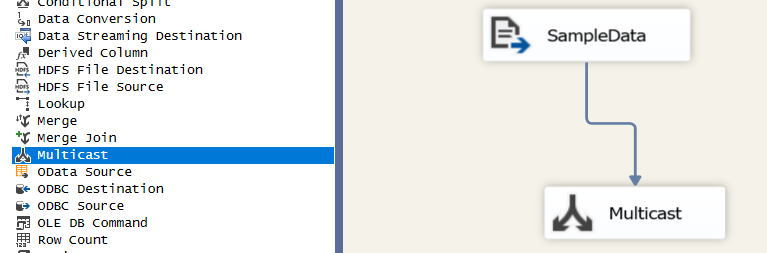
I wrote recently about menu items being missing from SSIS and other BI projects in VS2019, but another thing that’s gone MIA is the Integration Services Connector for Power Query.

This is the connector that allows you to use Power Query (and the M language) to input data into SSIS.

The SSIS designer for VS2019 recently went GA (general availability). It’s great that it’s released, but if you install it, you’ll find it removes the Power Query option for SSIS.

2020-01-01