T-SQL 101: 43 Concatenating strings in SQL Server
Joining together strings is called concatenating strings. In the first example here you can see SELECT hello, plus NULL, plus there. Now the trick with this, though, is that NULL is a bit of a challenge.

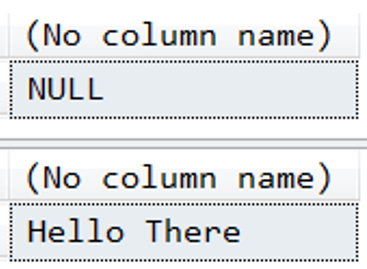
Note that the outcome of that first select statement is NULL is just NULL. As soon as you concatenate something with NULL, you would end up with NULL as the overall answer.
2019-11-11