Business-Intelligence

Fabric Down Under show 3 with guest Mark Pryce-Maher discussing SQL Warehousing in Microsoft Fabric

Fabric Down Under show 3 with guest Mark Pryce-Maher discussing SQL Warehousing in Microsoft Fabric

I had the great pleasure to get to spend time today, talking with Mark Pryce-Maker. We were discussing the SQL warehousing experience in Microsoft Fabric.

Mark is a Senior Program Manager at Microsoft, where he’s working closely with the Microsoft Fabric team. He has a strong background in many areas of data, most recently prior to Fabric, with helping customers migrate to Azure Synapse Analytics. He has worked extensively with the dedicated SQL pools in that service.

2023-09-07

ADF: Replacing carriage returns in Data Factory expression language

ADF: Replacing carriage returns in Data Factory expression language

This one had me stumped lately.

I had an variable in ADF where the value contained carriage returns. I needed to remove them.

I guessed that would be easy:

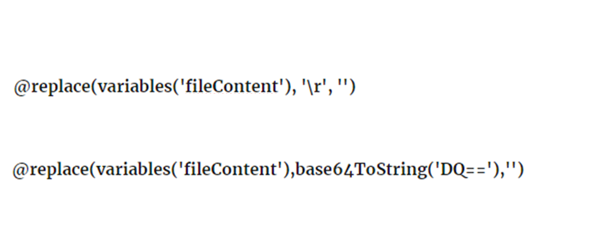
@replace(variables(‘fileContent’), ‘\r’, ‘’)

But no matter what variation of this I tried, it wouldn’t remove them.

Thanks to the genius of fellow MVP Simon Sabin, the answer was:

@replace(variables(‘fileContent’),base64ToString(‘DQ==’),’’)

Note: if you need a line feed (LF) it’s base64ToString(‘Cg==’) and a carriage return / line feed pair (CRLF), is base64ToString(‘DQo=’).

2023-04-24

FIX: Data Factory ODBC linked service fails to Apply and returns Internal Server Error

I was working with a client who has having trouble debugging an ADF pipeline, related to an ODBC linked service not working as expected.

The user had configured the connection string property of an ODBC connection this way:

  •  Set a parameter to the linked service as ServiceDSN
  •  Configured the connection string as @concat(‘DSN=’,linkedService().ServiceDSN)

The Test Connection for that worked fine, but when you click Apply, it fails with an Internal Server Error. Specifically, the error was:

2023-04-24

SQL: Understanding Change Data Capture for Azure SQL Database - Part 2 - How does it work?

SQL: Understanding Change Data Capture for Azure SQL Database - Part 2 - How does it work?

In the part 1 of this series, I discussed the positioning of Change Data Capture. In part 2, I want to cover how it works.

Log Reading

There are many ways that you can output details of changes that occur in data within SQL Server. Many of those methods require actions to occur at the time the data change is made. This can be problematic.

The first problem with this, is the performance impact on the application that’s making the change. If I update a row in a table and there is part of the process that writes details of that change to some type of audit or tracking log, I’ve now increased the work that needs to happen in the context of the application that’s making the change. Generally what this means, is that I’ve slowed the application down by at least doubling the work that needs to be performed. That might not be well-received.

2023-03-06

SQL: Understanding Change Data Capture for Azure SQL Database - Part 1 - Why?

SQL: Understanding Change Data Capture for Azure SQL Database - Part 1 - Why?

I often need to capture the changes from one database into another. The most common reason is that I’m wanting to bring changes from a transactional system across into a data warehouse that’s part of a BI setup.

So which technology is best to use for this?

That’s not a trivial question to answer but here are some thoughts:

Replication?

Unfortunately, this one’s not available for Azure SQL DB as yet. Azure SQL DB can be a subscriber in Transactional Replication. We often use it this way. If we have an on-premises SQL Server, one of our favourite ways to get data into the cloud is by using Transactional Replication. (If you need to get your head around Replication with SQL Server, just head to our course here).

2023-02-26

Data Science summit 2022 - Warsaw (and Hybrid) - SQL Server 2022 T-SQL

Data Science summit 2022 - Warsaw (and Hybrid) - SQL Server 2022 T-SQL

I’m always excited when I can get involved in conferences with our Polish friends.

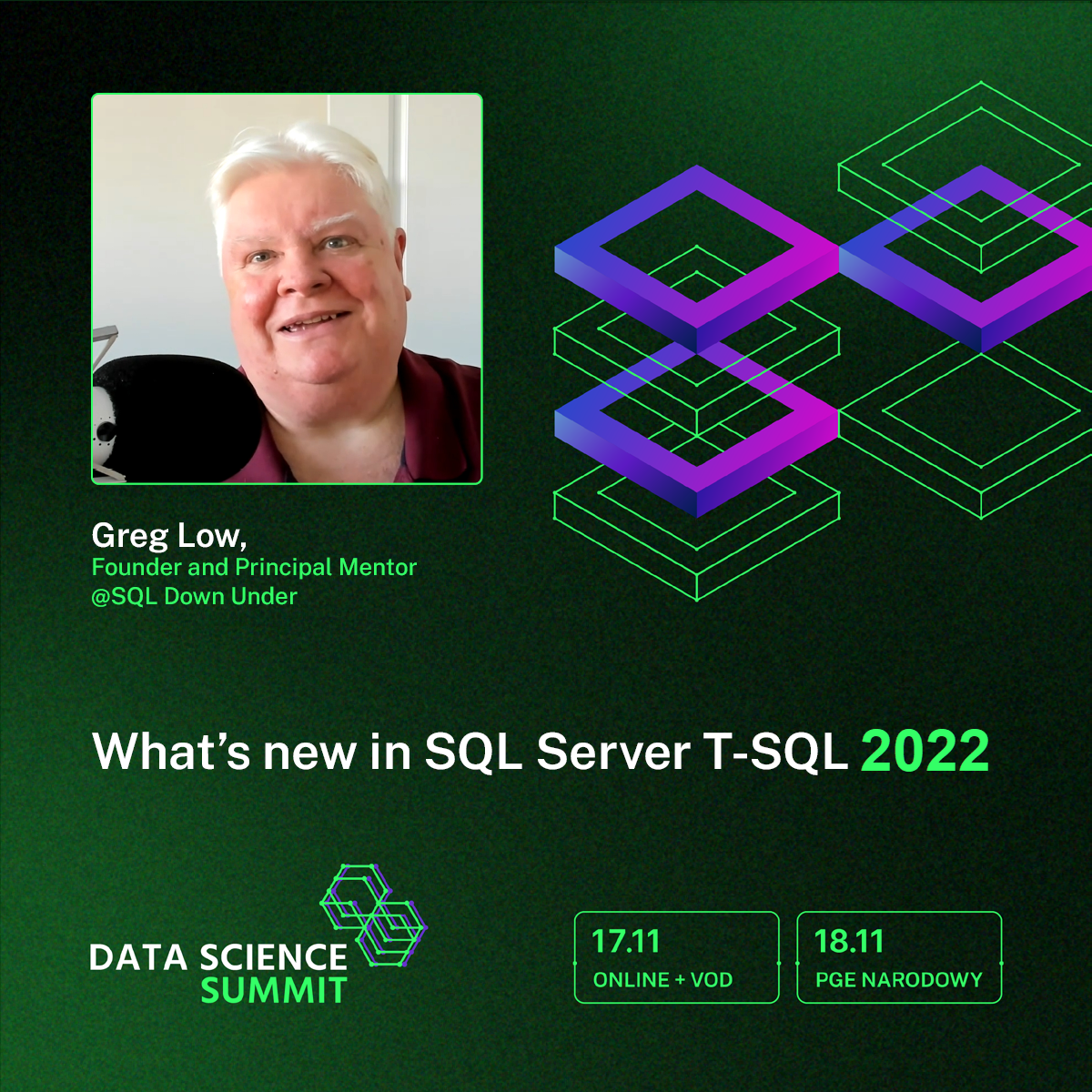
Coming up very soon is the Data Science Summit 2022: https://dssconf.pl/en/

For this summit, I’ll be presenting a quick (around 40 minutes) session highlighting what’s changed in T-SQL for SQL Server 2022. I’m always so glad to see T-SQL enhancements in SQL Server and SQL Server 2022 has more than what we’ve seen in other recent versions. There are a number of very important enhancements that will take a little while to get our heads around, on the best way to use them.

2022-11-06

SDU Tools v22 is now available (finally)

SDU Tools v22 is now available (finally)

One of our popular free resources is the SDU Tools library. If you haven’t checked it out, I’d encourage you to do so. It’s a large library of functions, procedures, and views all written in native T-SQL code.

You can easily use it as a complete library, or use it as examples of how to write T-SQL code. v22 is now available for download.

If you aren’t on our notification list, you can add yourself here:

2022-06-05

Book: Implementing Power BI in the Enterprise

Book: Implementing Power BI in the Enterprise

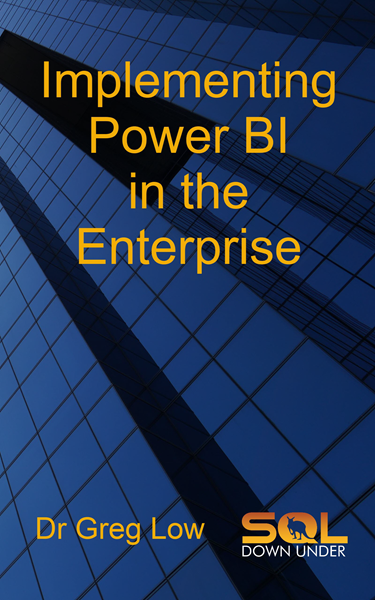
It’s been a while coming, but my latest book is now out. Implementing Power BI in the Enterprise is now available in both paperback and eBook. The eBook versions are available in all Amazon stores, and also through most book distributors through Ingram Spark distribution.

I’ve had a few people ask about DRM-free ePub and PDF versions. While the Kindle version on Amazon is their normal DRM setup, you can purchase the DRM free version directly from us here:

2021-06-18