SSMS Tips and Tricks 7-5: Using the feature search
Back when SSMS for SQL Server 2016 was released, a search tool called Quick Launch was added. It was this bar up the top of previous versions:
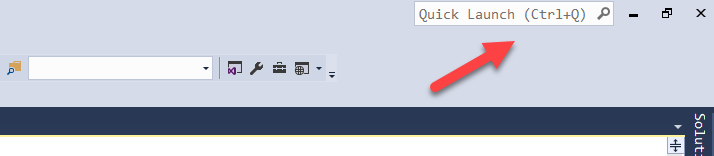
Note there was also another bar underneath it to the left. That was the Find bar. While the Find bar was useful for searching for text within queries, etc., the Quick Launch bar was useful for searching within SSMS itself. This was great because it means you don’t have to remember where all the options for various things are set. Here was an example:
2025-09-22